
Supported Platforms & Formatting
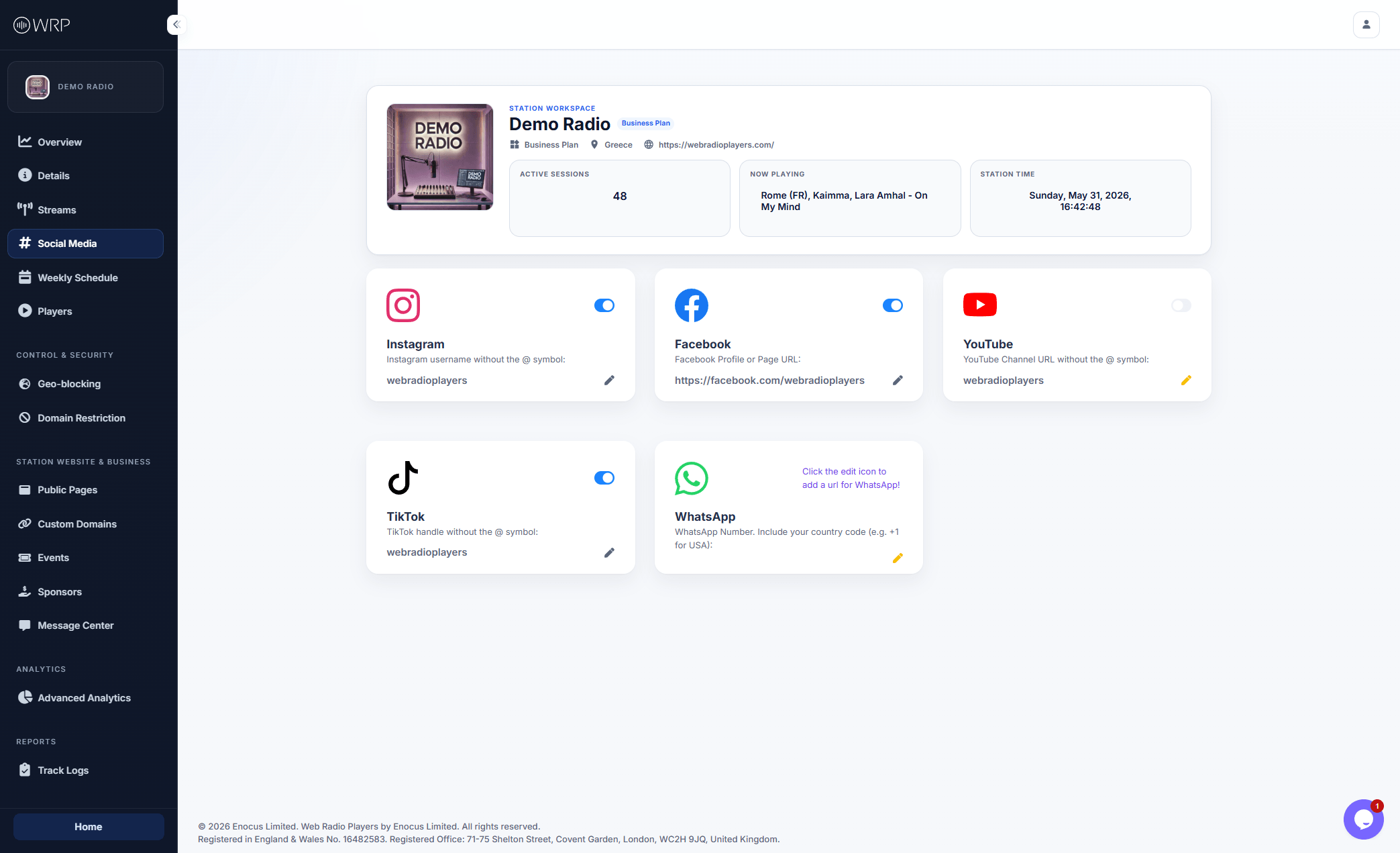
To maintain a clean, standardized UI on your public players, we provide a fixed list of the most essential social networks (custom platforms cannot be added manually). Each platform requires a specific text format to ensure the links route correctly for your listeners. To update a link, click the pencil icon on any card and follow these exact rules:- Instagram: Enter just your username, without the
@symbol (e.g.,webradioplayers). - TikTok: Enter just your username, without the
@symbol (e.g.,webradioplayers). - YouTube: Enter just your channel handle, without the
@symbol (e.g.,webradioplayers). - Facebook: Enter the full Profile or Page URL (e.g.,
https://facebook.com/webradioplayers). - WhatsApp: Enter your full phone number including the country code, without the
+symbol or any spaces (e.g.,15551234567for a US number).
Empty Fields: If a card says “Click the edit icon to add a URL”, it means that social profile is currently empty. It will not display anywhere on your live pages, regardless of the toggle switch.
Managing Visibility (On/Off Toggles)
You do not need to delete your information if you want to temporarily hide a social icon from your listeners (for example, if your YouTube channel is currently under construction). Use the toggle switch in the top right corner of any platform’s card to manage its visibility on demand:- Active (Blue): The social icon will appear on all your enabled players and public pages.
- Inactive (Gray): The social icon is instantly hidden from your listeners, but your handle/URL is securely saved in the dashboard so you can reactivate it later.