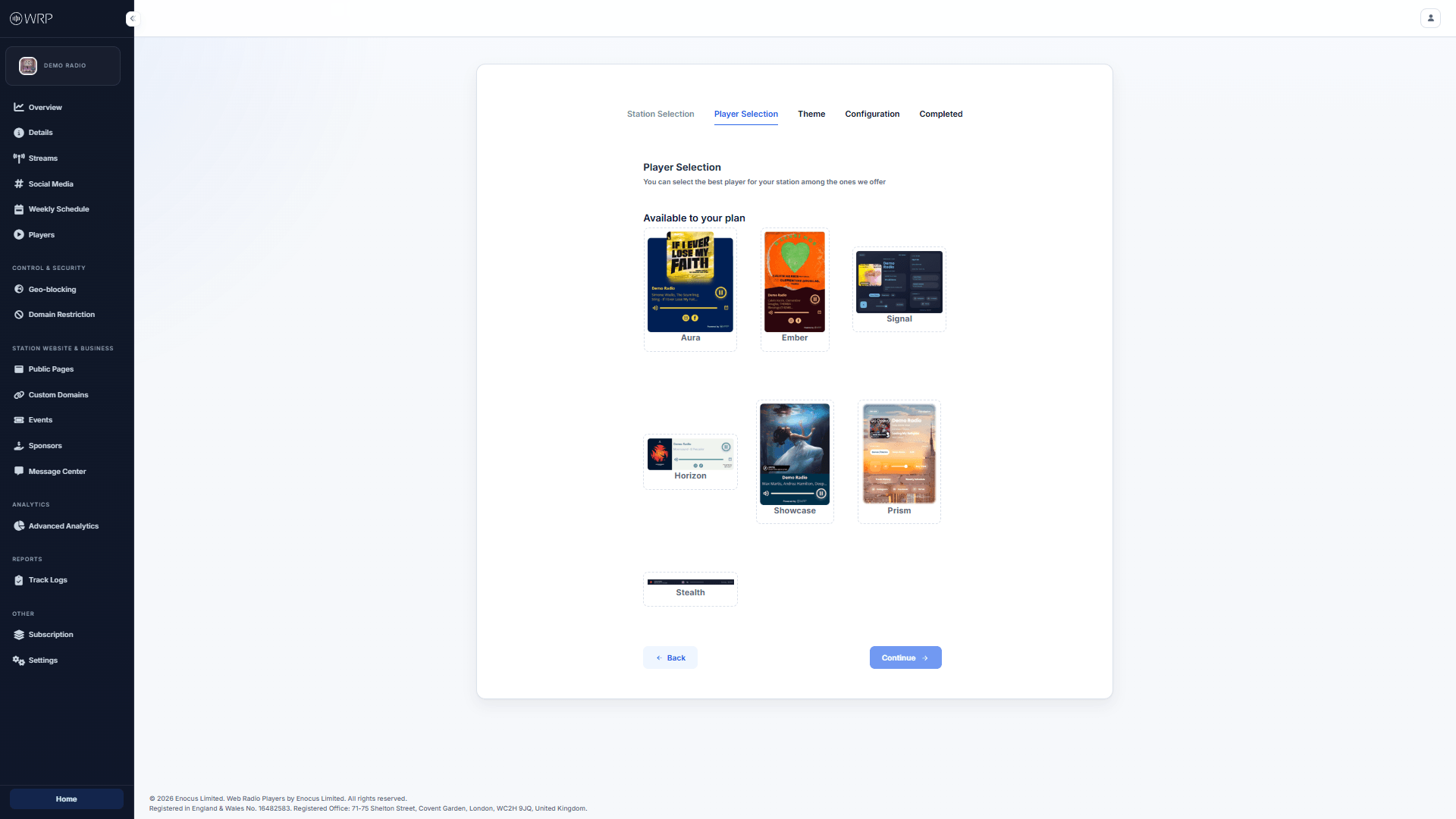
The first step in creating a new widget is choosing a base layout from the Player Selection screen. We offer a variety of player styles to suit different use cases - from compact, minimalist bars designed to sit quietly at the bottom of a webpage, to large, feature - rich cards that display album artwork, social links, and schedules.
Player Selection Dashboard

Choosing a Layout

When you click the blue + New Player button from your main Players dashboard, you will be presented with a grid of available layouts. Take a moment to consider where you plan to embed this player on your website:
  • Vertical / Card Players (e.g., Aura, Ember): Great for sidebars, popup windows, or dedicated “Listen Live” pages. These layouts typically have more room for artwork and expanded station information.
  • Horizontal / Bar Players (e.g., Stealth, Horizon): Ideal for sticky footers or slim website headers where vertical space is limited.

Plan Availability

The layouts available to you on this screen are determined by your current Subscription Plan. If a specific player design is greyed out or locked, it means that layout is restricted to a higher subscription tier. You can upgrade your plan at any time from the Billing section of your Operations Console to unlock additional designs. Once you have found a layout you like, simply click on it to select it, and then click the Continue button at the bottom right to move on to the Theme selection.