
Public-Facing Information
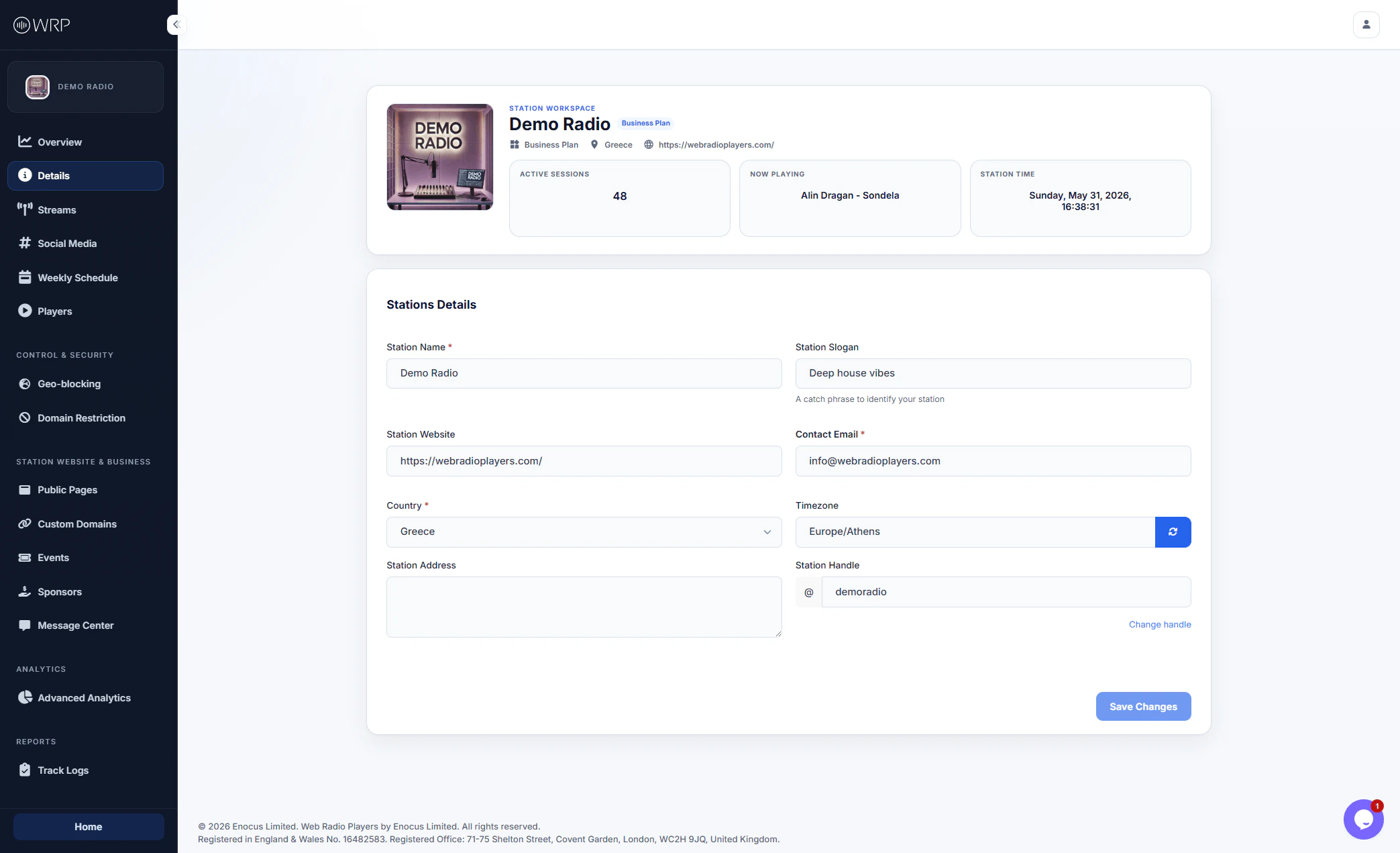
When a listener clicks on your station’s logo inside one of your embedded players or on your Public Page, a beautifully formatted info card appears. That card is populated directly from the fields in this section:- Station Name: The official, overarching name of your broadcast (e.g., Demo Radio).
- Station Slogan: A short, catchy phrase that identifies your station’s vibe or genre (e.g., Deep house vibes).
- Station Website: The primary URL for your station’s main website outside of our platform.
- Contact Email: The email address where listeners, sponsors, or partners can reach you.
- Station Address: Your physical broadcasting location or mailing address (optional).
Listener Transparency: Keeping your details accurate and up-to-date builds trust with your listeners and makes it incredibly easy for sponsors to contact you directly from the player.
Localization & Timezone
To ensure your station’s schedule and analytics are accurate, you must configure your local settings:- Country: The primary country you broadcast from. This is also useful for licensing compliance.
- Timezone: Sets the internal clock for your station workspace (displayed in the top right of your dashboard).
- Note: Setting this correctly is vital, as it dictates exactly when your Weekly Schedule events trigger for your listeners.
The Station Handle (Important)
Your Station Handle (e.g.,@demoradio) acts as your unique identifier on the WebRadioPlayers platform. It serves two critical purposes:
- Unique Reference: It is a short, easily recognizable ID used to identify your specific workspace within our system.
- Default Subdomain: If you choose to host a Public Page through our platform but do not want to set up a custom domain (CNAME) right away, your Station Handle becomes your live URL.