
The Sponsors feature provides a built-in way to monetize your broadcast. Your station website can show sponsor banners in certain spots on the web page. By adding your advertisers here, their banners will rotate or display in designated areas of your chosen template. Furthermore, you can track the performance of these banners using the Advanced Analytics dashboard.
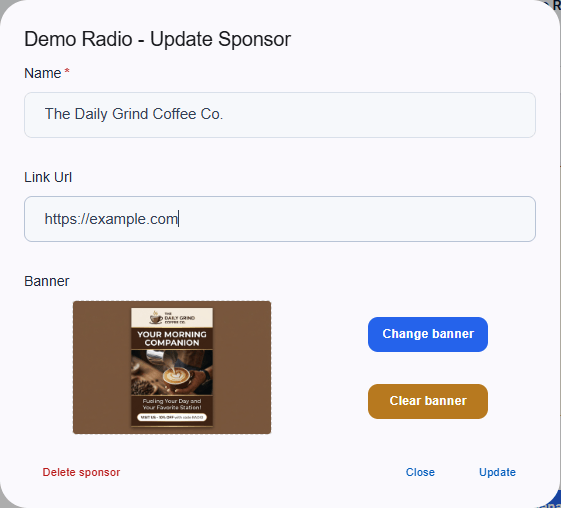
Update Sponsor Dialog

Adding a Sponsor

To add a new advertiser to your rotation, provide the following information:
  • Name: The internal name of the sponsor (e.g., The Daily Grind Coffee Co.).
  • Link Url: The exact website address where users should be redirected when they click the banner.
  • Banner: Upload the advertiser’s visual asset.
Click Update or Save to instantly push the new sponsor live to your public pages. You can also permanently remove an advertiser by clicking the red “Delete sponsor” link.