> ## Documentation Index
> Fetch the complete documentation index at: https://docs.webradioplayers.com/llms.txt
> Use this file to discover all available pages before exploring further.
# Set Up Your First Station
> Follow this step-by-step wizard to create your station workspace, connect your stream, and activate your account.
Welcome to Web Radio Players! Your entire broadcasting ecosystem - from embeddable players to analytics - starts with creating a **Station Workspace**.
Let's get your first station on the air.
 ## The Setup Wizard
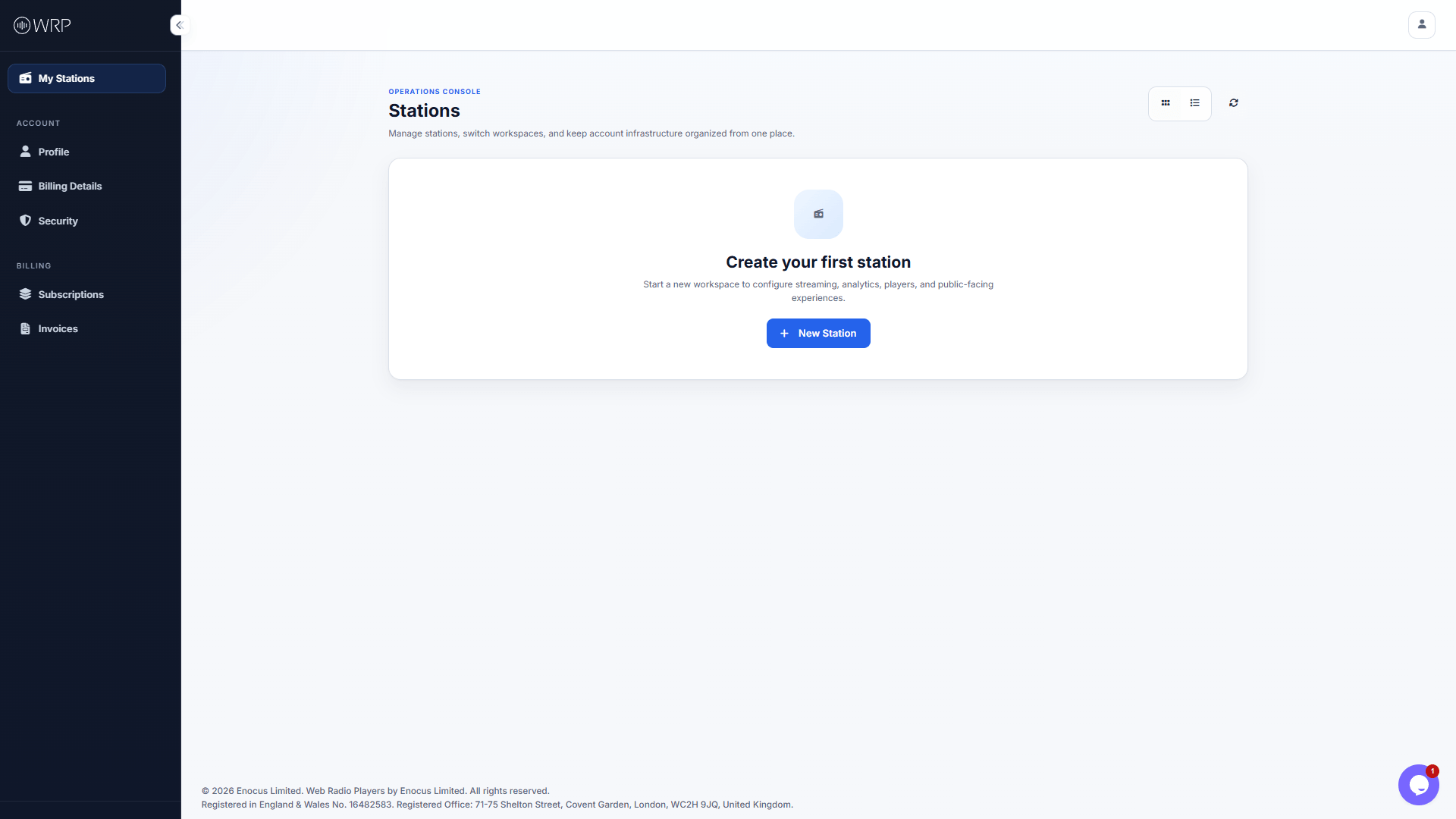
From your main Operations Console, click the blue **+ New Station** button to launch the configuration wizard.
Fill in your public-facing information, including your Station Name, Slogan, and Contact Email.
*Make sure to set your Country and Timezone accurately, as this will dictate how your weekly schedule and analytics are recorded!*
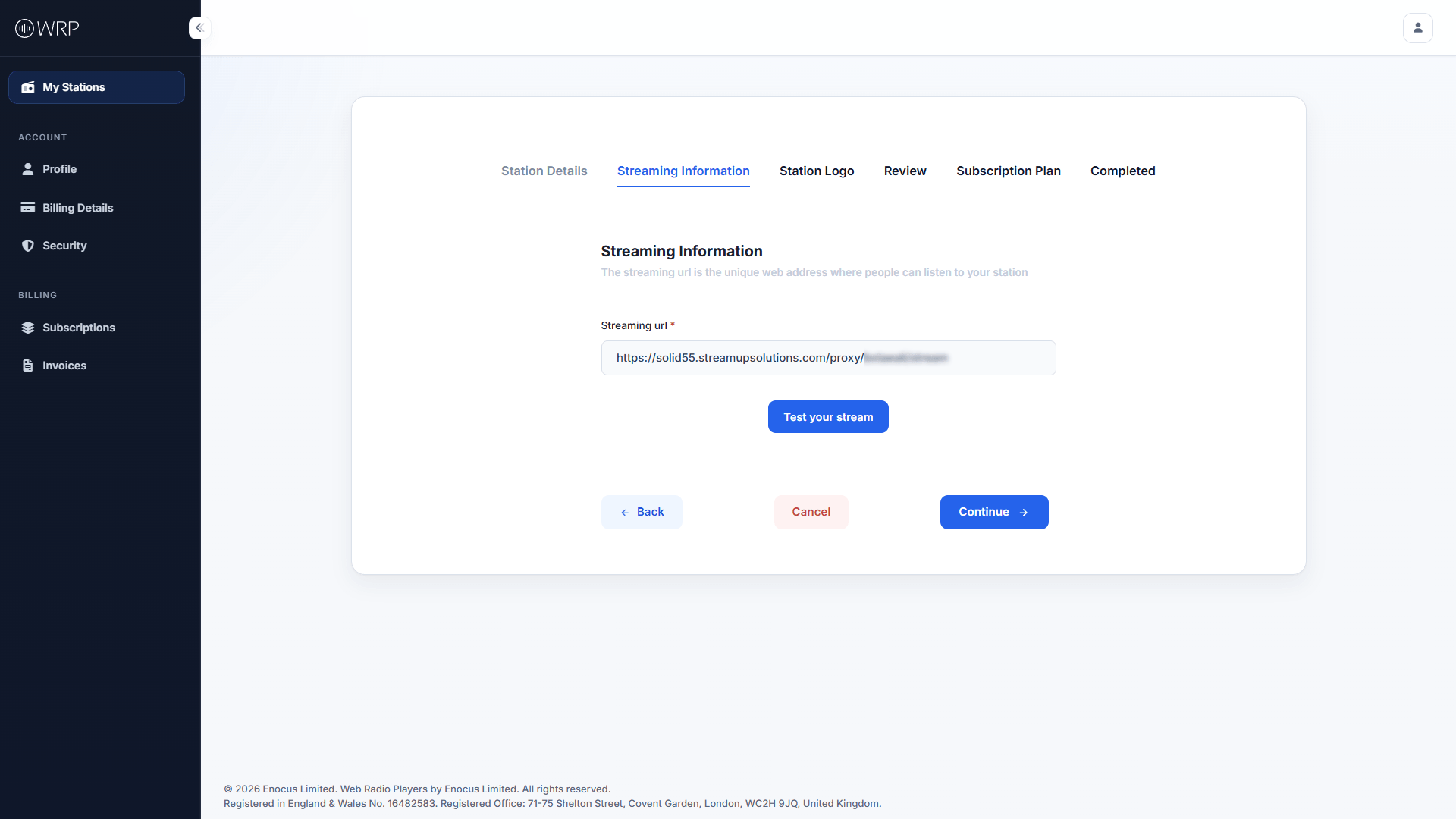
This is the most important step. Paste your direct streaming URL (e.g., Icecast, Shoutcast) into the field.
Before proceeding, click the **Test your stream** button. If you hear your audio, your stream is properly formatted and ready to broadcast.
## The Setup Wizard
From your main Operations Console, click the blue **+ New Station** button to launch the configuration wizard.
Fill in your public-facing information, including your Station Name, Slogan, and Contact Email.
*Make sure to set your Country and Timezone accurately, as this will dictate how your weekly schedule and analytics are recorded!*
This is the most important step. Paste your direct streaming URL (e.g., Icecast, Shoutcast) into the field.
Before proceeding, click the **Test your stream** button. If you hear your audio, your stream is properly formatted and ready to broadcast.
 Click **Select a logo** to upload your brand's artwork (Accepted formats: PNG, JPG. Max size: 5MB). While you can skip this step, we highly recommend uploading a logo now, as it will instantly brand your public pages and web players.
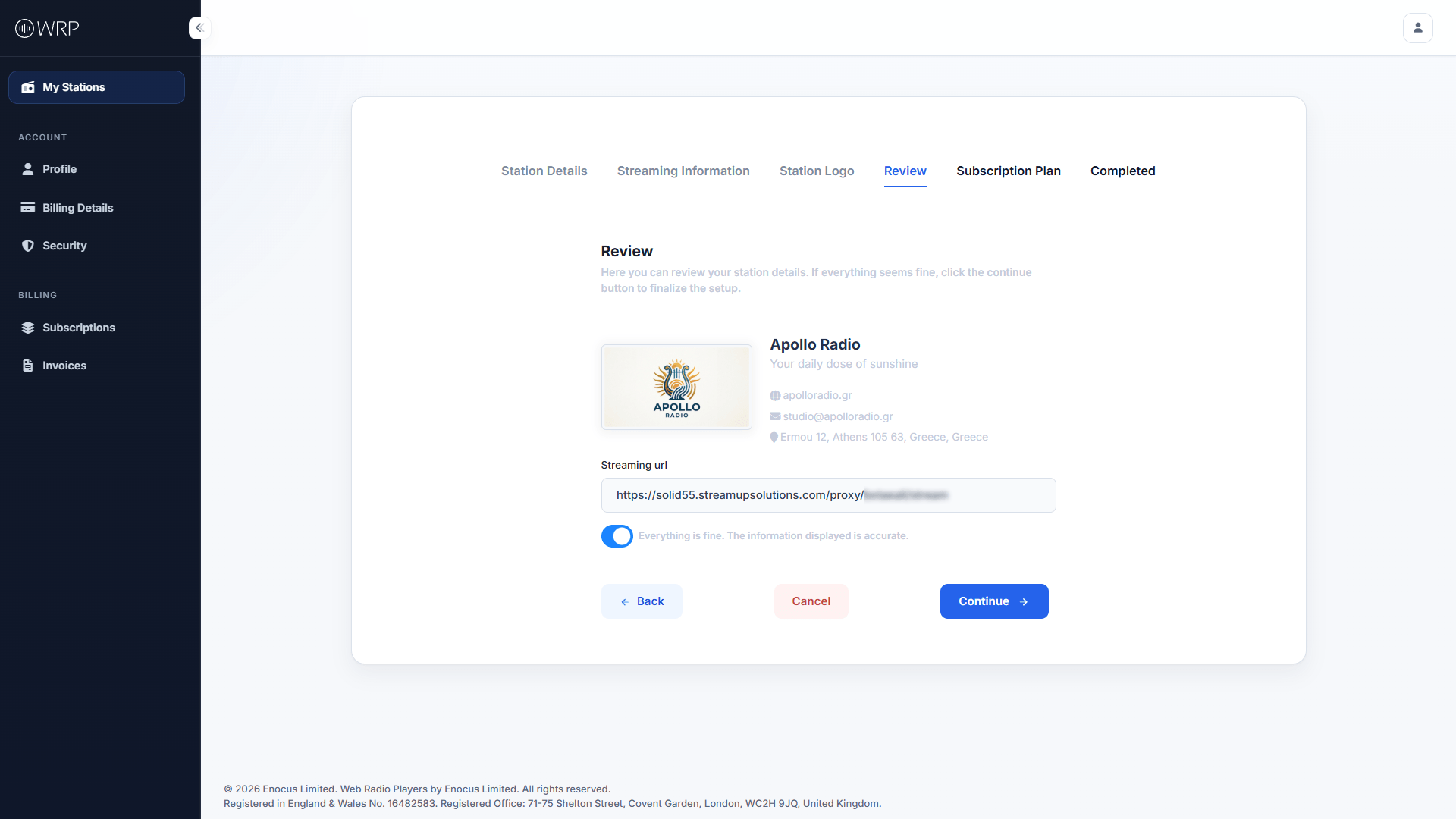
Review the summary of your station. If everything looks correct, toggle the switch labeled **Everything is fine. The information displayed is accurate** to activate the Continue button.
Click **Select a logo** to upload your brand's artwork (Accepted formats: PNG, JPG. Max size: 5MB). While you can skip this step, we highly recommend uploading a logo now, as it will instantly brand your public pages and web players.
Review the summary of your station. If everything looks correct, toggle the switch labeled **Everything is fine. The information displayed is accurate** to activate the Continue button.
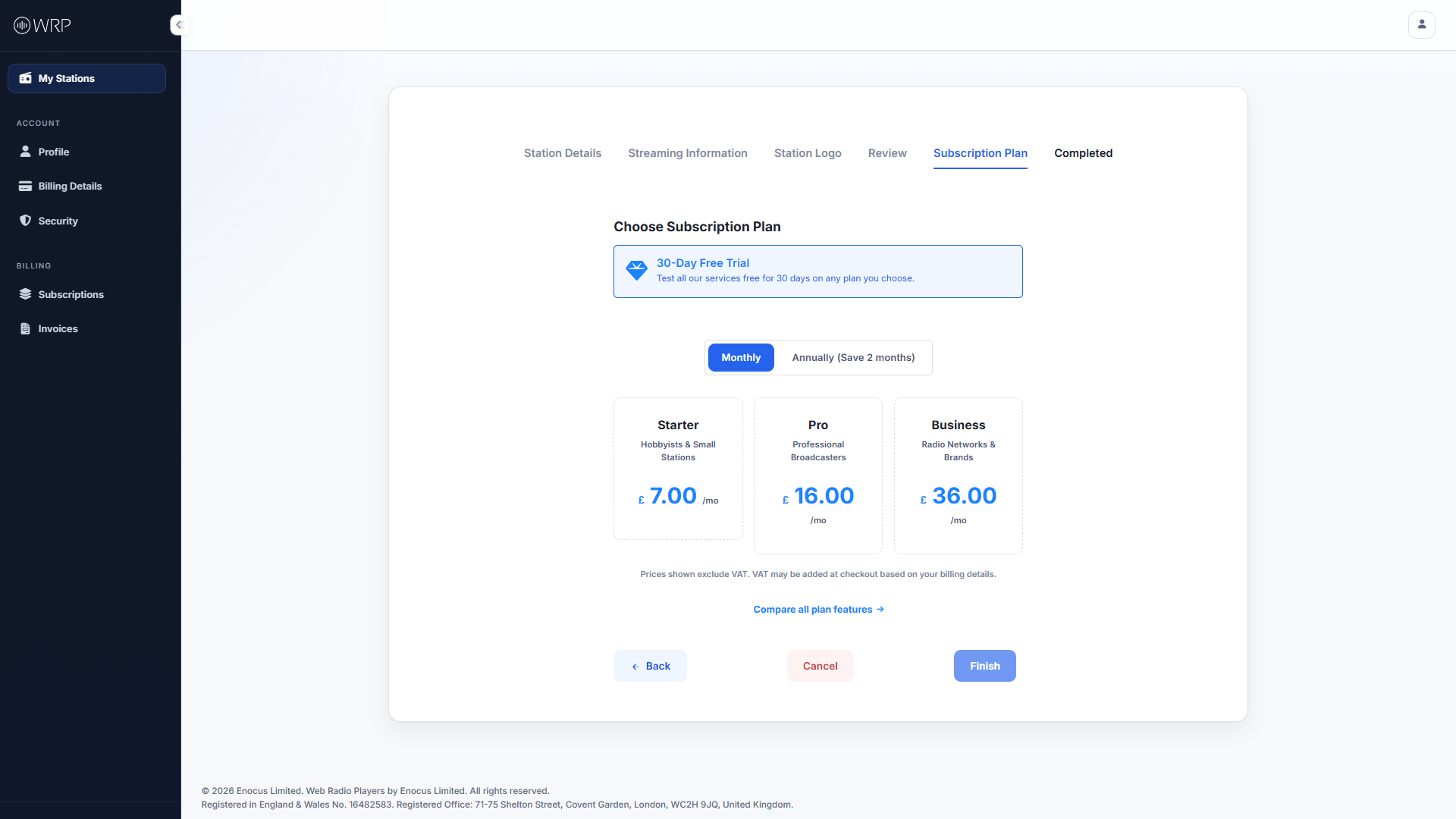
 Select the plan that best fits your broadcasting needs. All plans begin with a **30-Day Free Trial**.
*If you aren't sure which tier you need, click **Compare all plan features** to see a detailed breakdown of player limits and analytics features.*
Select the plan that best fits your broadcasting needs. All plans begin with a **30-Day Free Trial**.
*If you aren't sure which tier you need, click **Compare all plan features** to see a detailed breakdown of player limits and analytics features.*
 After accepting the Terms of Service, you will be securely redirected to Stripe to finalize your trial.
**Understanding Your Currency Options at Checkout:** Our base prices are in British Pounds (GBP). Stripe's adaptive pricing may automatically offer you the option to pay in your local currency instead.
* **If you choose GBP:** Your billed amount will remain exactly the same every month, though your bank may apply small foreign transaction fees if you are outside the UK.
* **If you choose your Local Currency:** You avoid bank fees, but your monthly billed amount may fluctuate slightly based on real-time global exchange rates.
Once you click **Start Trial** in Stripe, you will be redirected back to your dashboard where your new station is now fully active!
***
## Next Steps
Now that your stream is connected and your workspace is live, what would you like to build first?
Design and embed a custom audio player directly on your own website.
Launch a fully hosted, interactive radio website using our platform.
Use Geo-blocking to restrict or allow countries based on your licensing.
After accepting the Terms of Service, you will be securely redirected to Stripe to finalize your trial.
**Understanding Your Currency Options at Checkout:** Our base prices are in British Pounds (GBP). Stripe's adaptive pricing may automatically offer you the option to pay in your local currency instead.
* **If you choose GBP:** Your billed amount will remain exactly the same every month, though your bank may apply small foreign transaction fees if you are outside the UK.
* **If you choose your Local Currency:** You avoid bank fees, but your monthly billed amount may fluctuate slightly based on real-time global exchange rates.
Once you click **Start Trial** in Stripe, you will be redirected back to your dashboard where your new station is now fully active!
***
## Next Steps
Now that your stream is connected and your workspace is live, what would you like to build first?
Design and embed a custom audio player directly on your own website.
Launch a fully hosted, interactive radio website using our platform.
Use Geo-blocking to restrict or allow countries based on your licensing.