> ## Documentation Index
> Fetch the complete documentation index at: https://docs.webradioplayers.com/llms.txt
> Use this file to discover all available pages before exploring further.
# Creating a Public Page
> Launch a fully hosted, interactive radio website without writing a single line of code.
The **Public Pages** feature provides a complete "website-in-a-box" for your radio station. Instead of embedding widgets into an existing site, you can use our platform to generate and host a standalone destination for your listeners.
To get started, navigate to **Public Pages** in your Operations Console and click the **Add public page** button to launch the setup wizard.
## Step 1: Template Selection
The first step is choosing the structural layout of your new website. We offer a variety of templates ranging from basic "Listen Live" landing pages to comprehensive full-site layouts (like *Full Site* or *Coastal Dreamscape*).
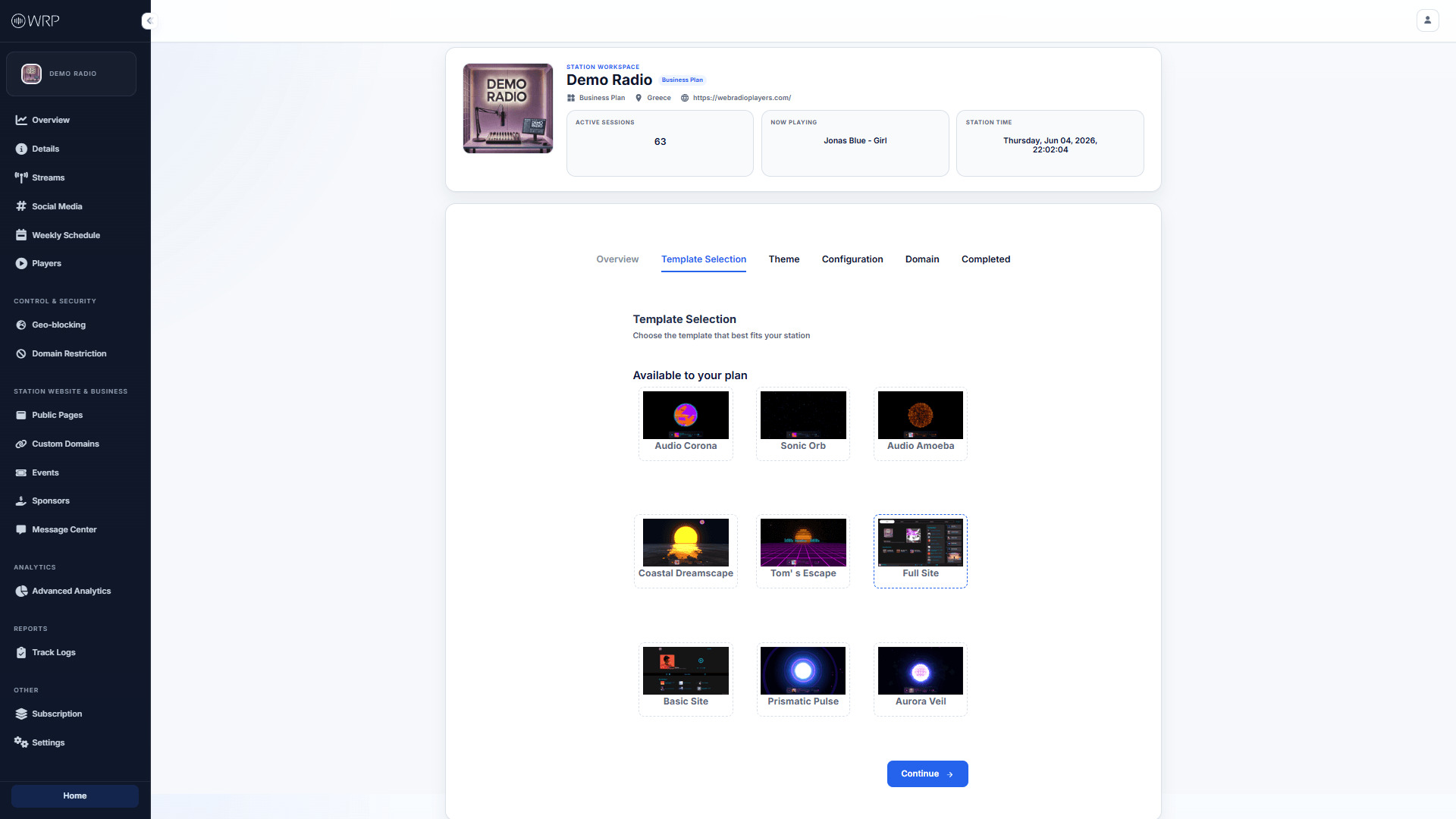 *Note: The templates available to you are based on your current Subscription Plan.*
## Step 2: Theme Selection
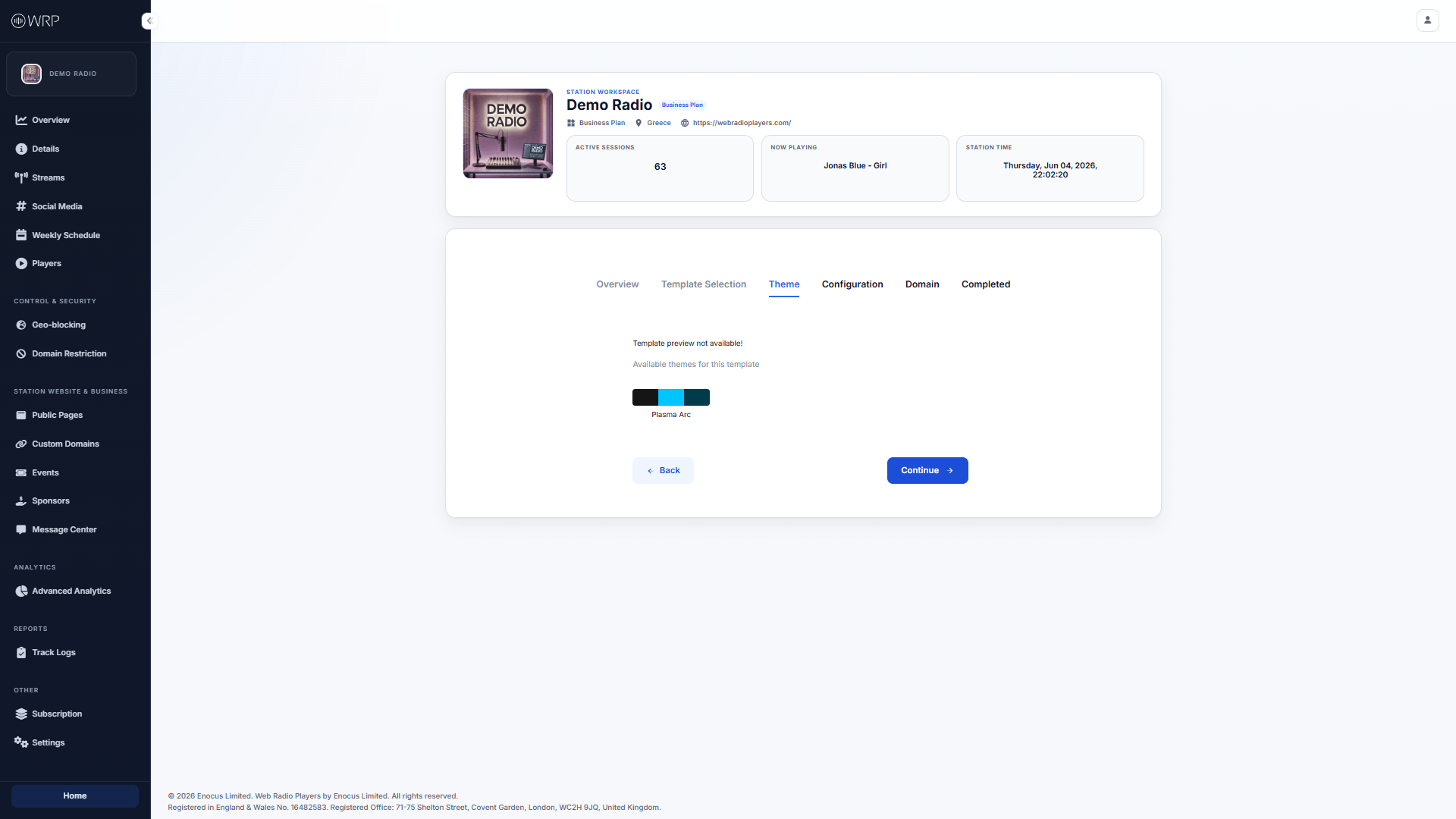
Once you have selected a template, you can apply a custom color theme to match your station's branding. The available themes are specifically curated to look beautiful on the template you just chose.
*Note: The templates available to you are based on your current Subscription Plan.*
## Step 2: Theme Selection
Once you have selected a template, you can apply a custom color theme to match your station's branding. The available themes are specifically curated to look beautiful on the template you just chose.
 ## Step 3: Configuration & Features
This step allows you to define exactly what content appears on your public page.
## Step 3: Configuration & Features
This step allows you to define exactly what content appears on your public page.
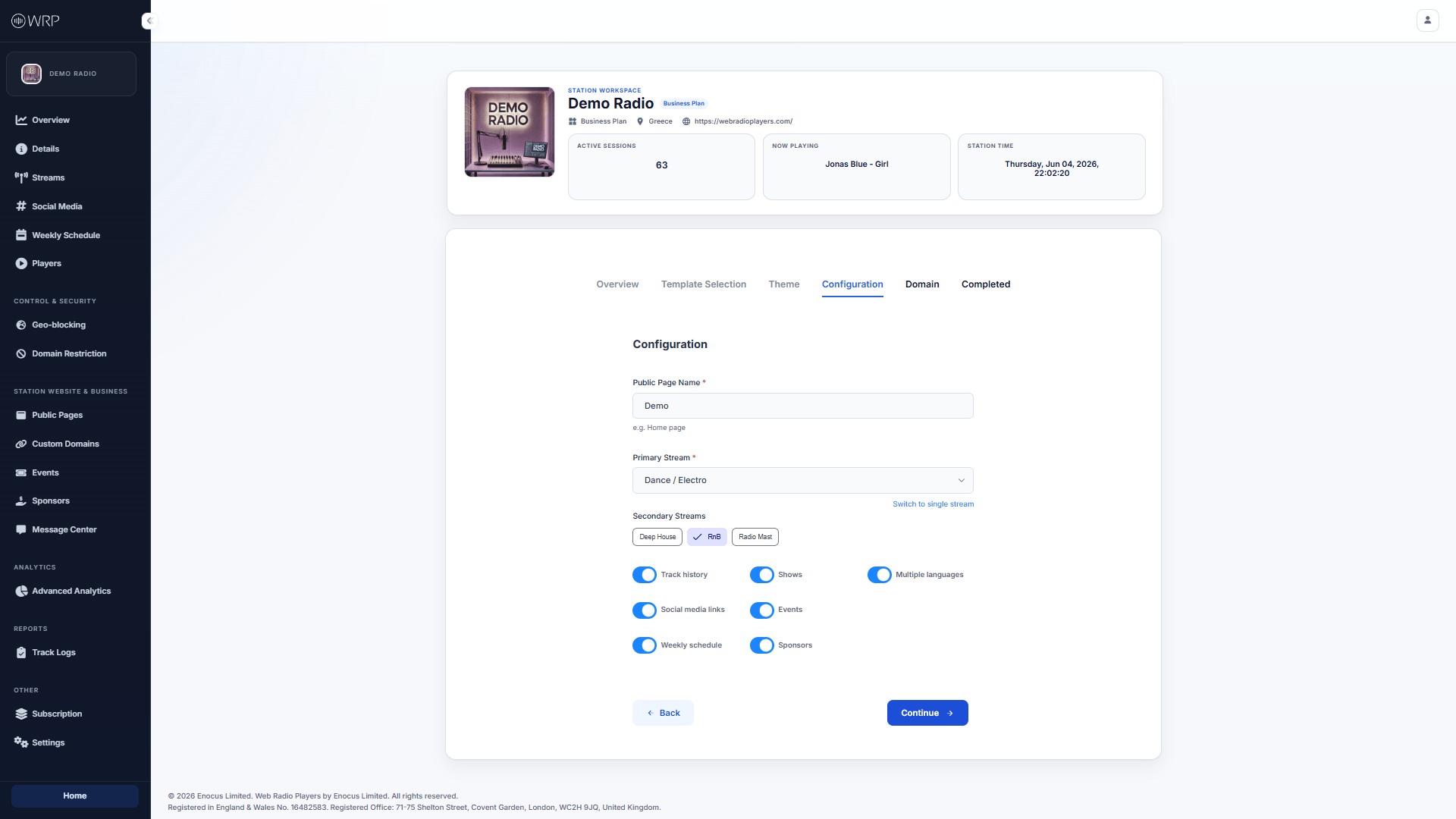 * **Public Page Name:** This is an internal name (e.g., *Main Demo Site*) strictly to help you organize your pages inside your dashboard. Listeners will not see this.
* **Streams:** Select your Primary stream, and optionally choose Secondary streams if you want to offer a multi-channel layout.
* **Feature Toggles:** Depending on the Template you selected, you will see a variety of switches allowing you to turn features on or off.
* *Track History:* Show recently played songs.
* *Social Media Links:* Display the icons from your [Social Media](/station/social-media) settings.
* *Weekly Schedule:* Display your broadcast calendar.
* *Sponsors & Events:* Highlight your monetization and upcoming shows.
Once your features are configured, click **Continue** to move on to routing your website!
* **Public Page Name:** This is an internal name (e.g., *Main Demo Site*) strictly to help you organize your pages inside your dashboard. Listeners will not see this.
* **Streams:** Select your Primary stream, and optionally choose Secondary streams if you want to offer a multi-channel layout.
* **Feature Toggles:** Depending on the Template you selected, you will see a variety of switches allowing you to turn features on or off.
* *Track History:* Show recently played songs.
* *Social Media Links:* Display the icons from your [Social Media](/station/social-media) settings.
* *Weekly Schedule:* Display your broadcast calendar.
* *Sponsors & Events:* Highlight your monetization and upcoming shows.
Once your features are configured, click **Continue** to move on to routing your website!