> ## Documentation Index
> Fetch the complete documentation index at: https://docs.webradioplayers.com/llms.txt
> Use this file to discover all available pages before exploring further.
# Message Center
> Read and manage incoming contact form submissions from your listeners.
If your public page template includes a contact form, the **Message Center** is where those submissions arrive. It acts as a dedicated inbox within your dashboard where the station owner can view the contact forms submitted by site visitors.
 ## Navigating the Inbox
The Message Center is designed for quick communication management:
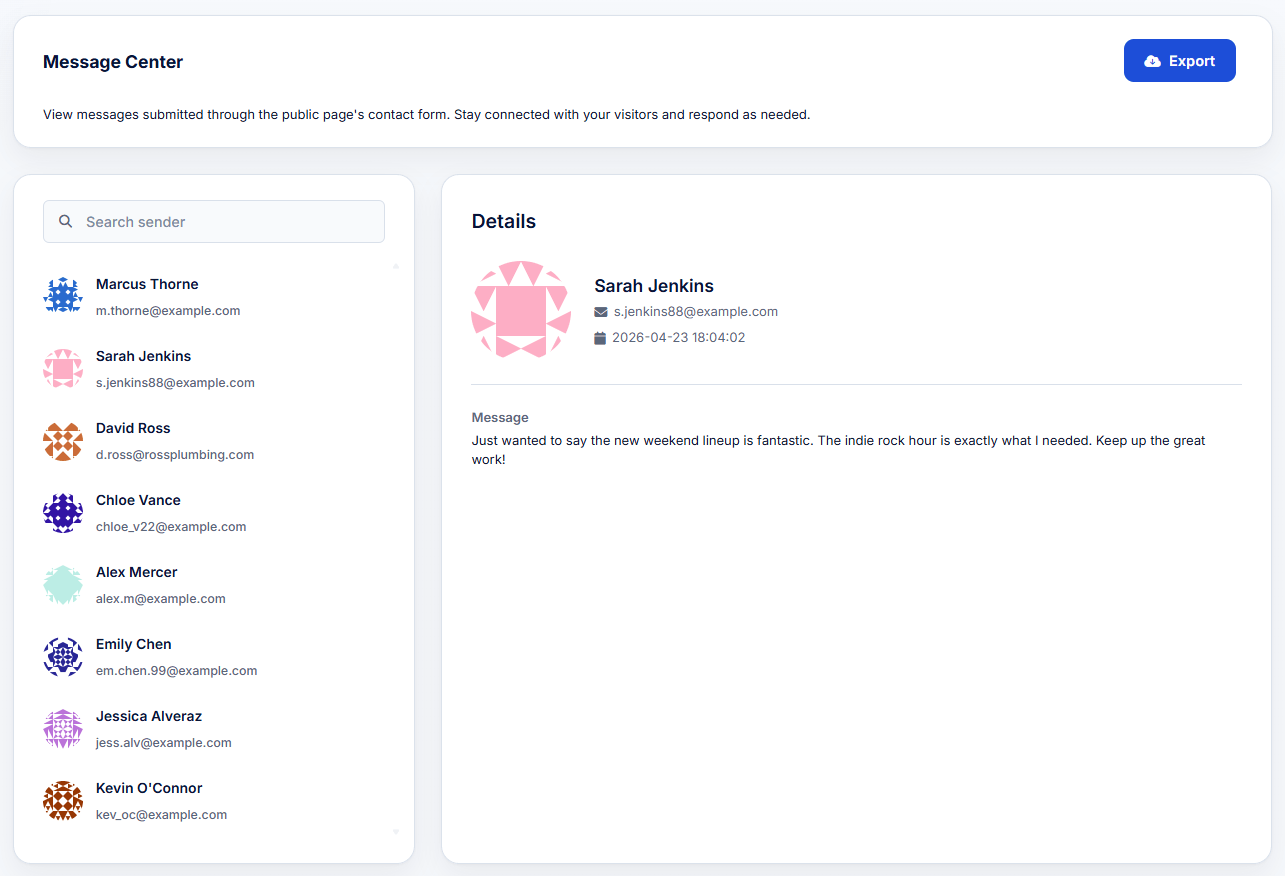
* **Search:** Use the search bar in the left column to find specific senders quickly.
* **Sender List:** The left column displays a list of all submissions, highlighting the sender's name and their provided email address.
* **Message Details:** Clicking on any sender reveals the full contents of their message on the right side of the screen, along with the exact date and timestamp it was submitted.
## Exporting Messages
If you need to back up your listener messages or import them into an external CRM or newsletter platform, simply click the blue **Export** button in the top right corner of the dashboard.
## Navigating the Inbox
The Message Center is designed for quick communication management:
* **Search:** Use the search bar in the left column to find specific senders quickly.
* **Sender List:** The left column displays a list of all submissions, highlighting the sender's name and their provided email address.
* **Message Details:** Clicking on any sender reveals the full contents of their message on the right side of the screen, along with the exact date and timestamp it was submitted.
## Exporting Messages
If you need to back up your listener messages or import them into an external CRM or newsletter platform, simply click the blue **Export** button in the top right corner of the dashboard.