> ## Documentation Index
> Fetch the complete documentation index at: https://docs.webradioplayers.com/llms.txt
> Use this file to discover all available pages before exploring further.
# Managing Events
> Promote upcoming shows, parties, and live broadcasts directly on your website.
The **Events** feature allows your station website to show scheduled events like parties or special live broadcasts to your audience. If you enabled the "Events" toggle during your public page configuration, any event you create here will automatically be displayed on your live site.
 ## Creating an Event
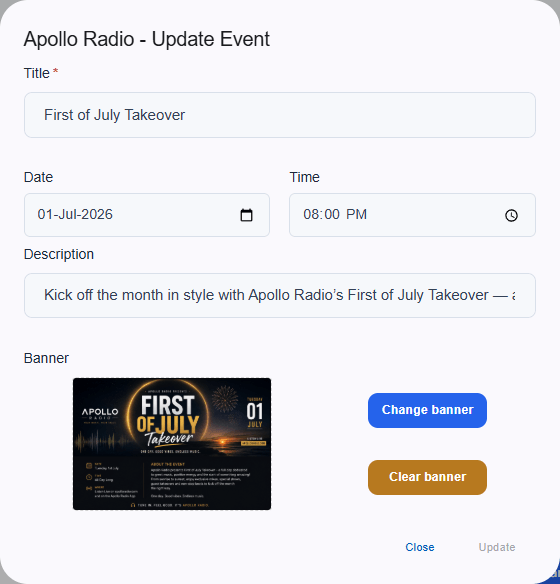
To add a new event to your calendar, navigate to the Events section and fill out the required details:
* **Title:** The name of your upcoming event.
* **Date:** The specific calendar day the event takes place.
* **Time:** The exact starting time of the event.
* **Description:** A short summary of what listeners can expect.
* **Banner:** Upload promotional artwork using the blue "Change banner" button to make your event stand out visually on the page.
Once saved, the event will instantly appear on your public page.
## Creating an Event
To add a new event to your calendar, navigate to the Events section and fill out the required details:
* **Title:** The name of your upcoming event.
* **Date:** The specific calendar day the event takes place.
* **Time:** The exact starting time of the event.
* **Description:** A short summary of what listeners can expect.
* **Banner:** Upload promotional artwork using the blue "Change banner" button to make your event stand out visually on the page.
Once saved, the event will instantly appear on your public page.