> ## Documentation Index
> Fetch the complete documentation index at: https://docs.webradioplayers.com/llms.txt
> Use this file to discover all available pages before exploring further.
# Domain Setup & Launch
> Choose your web address and publish your public page to the world.
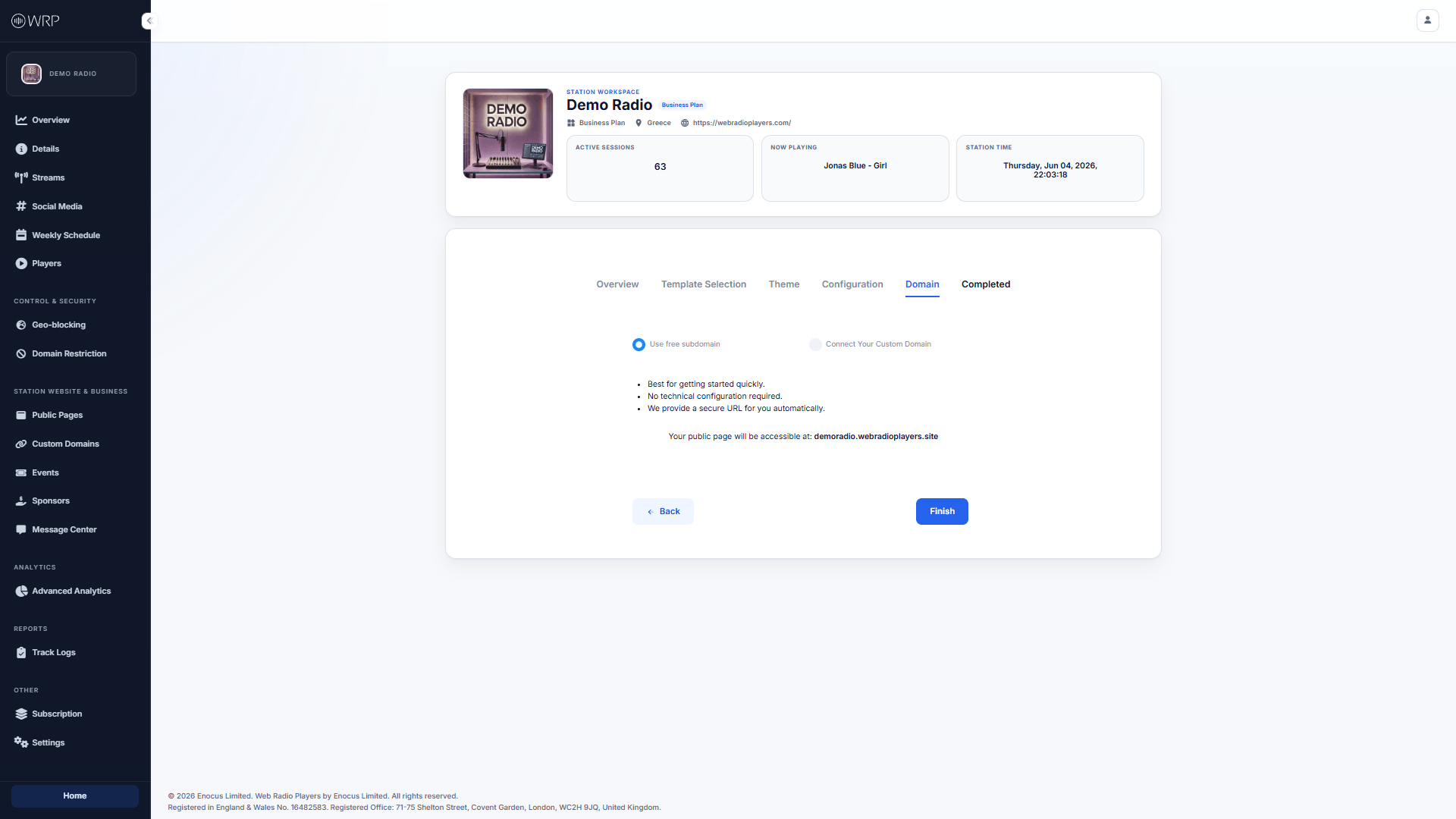
After configuring your features, the final step is deciding where your website will live on the internet. The **Domain** step gives you two choices for hosting your new page.
 ## Option A: Use a Free Subdomain (Fastest)
If you want to get online instantly and do not want to mess with DNS records, select the **Use free subdomain** option.
We will automatically generate a secure, SSL-encrypted URL for you using the **Station Handle** you defined in your [Station Details](/station/details).
* *Example:* If your handle is `@demoradio`, your website will instantly be live at `demoradio.webradioplayers.site`.
## Option B: Connect Your Custom Domain (Professional)
If you already own a domain name (e.g., `myradionetwork.com`) and want your public page to look incredibly professional, select **Connect Your Custom Domain**.
Before you can select a custom domain from this list, you must verify ownership of it. For a complete step-by-step walkthrough on how to do this, please see our [Custom Domains Guide](/public-pages/custom-domains).
***
## You Are Done!
Once you have made your selection and clicked **Finish**, your website is instantly compiled and deployed to our global servers.
## Option A: Use a Free Subdomain (Fastest)
If you want to get online instantly and do not want to mess with DNS records, select the **Use free subdomain** option.
We will automatically generate a secure, SSL-encrypted URL for you using the **Station Handle** you defined in your [Station Details](/station/details).
* *Example:* If your handle is `@demoradio`, your website will instantly be live at `demoradio.webradioplayers.site`.
## Option B: Connect Your Custom Domain (Professional)
If you already own a domain name (e.g., `myradionetwork.com`) and want your public page to look incredibly professional, select **Connect Your Custom Domain**.
Before you can select a custom domain from this list, you must verify ownership of it. For a complete step-by-step walkthrough on how to do this, please see our [Custom Domains Guide](/public-pages/custom-domains).
***
## You Are Done!
Once you have made your selection and clicked **Finish**, your website is instantly compiled and deployed to our global servers.
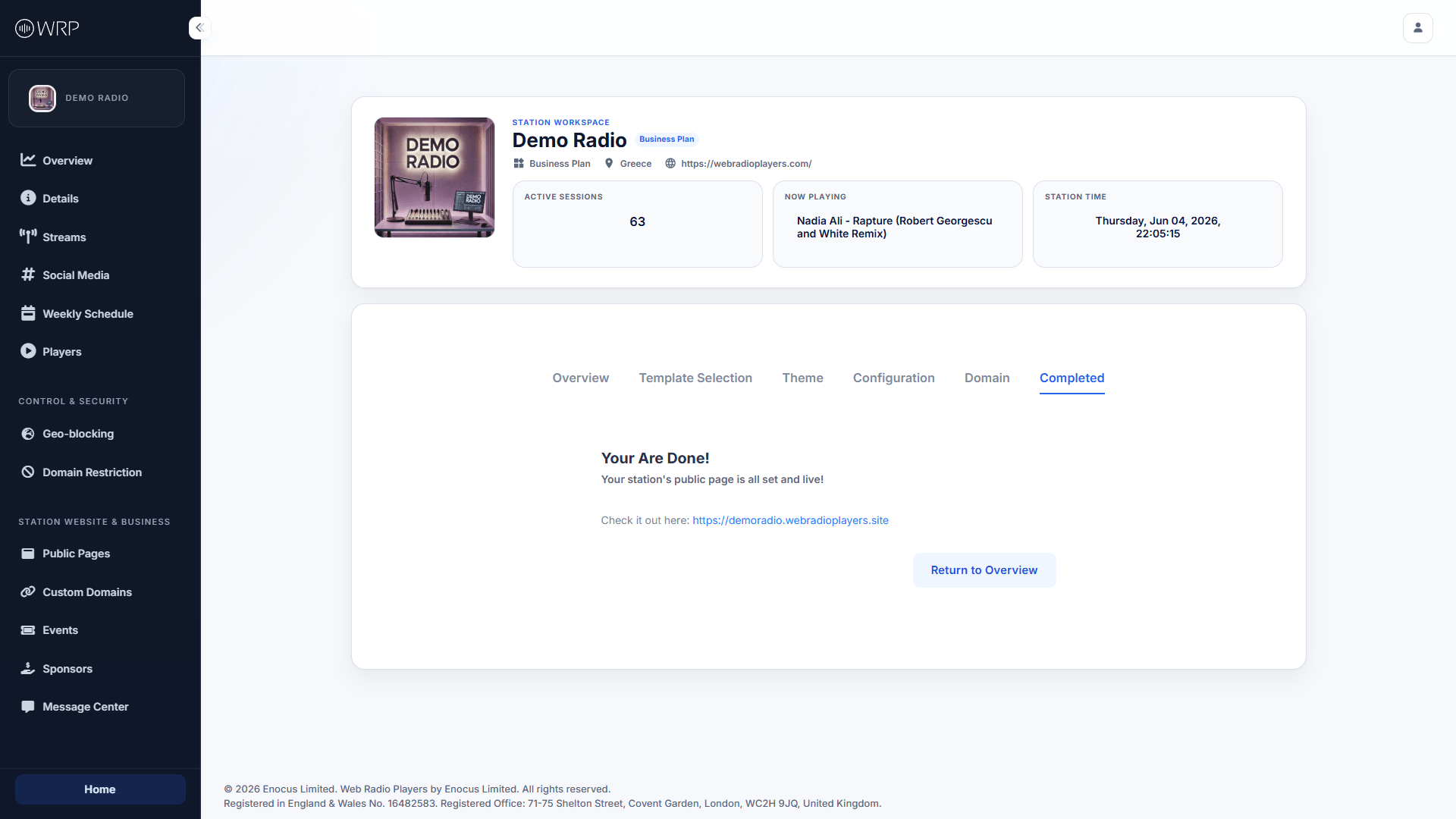 You will be presented with a clickable link to view your live site. Any future changes you make to your Schedule, Social Media, or Streams will automatically sync to this page—no re-publishing required!